


Car buyers begin their search online long before they step onto a forecourt. Around 95 percent of people shopping for a vehicle use digital tools, and the majority start with a simple Google search. This means your dealership’s website is not just a place to show your stock. It is your digital showroom, that visitors click is your first impression. A well-designed website guides visitors through your stock with ease, builds trust through clear information, and guides them smoothly and strategically toward conversion.
At Spidersnet, we have built thousands of car dealer websites, so we know what separates a site that looks good from a site that actually converts. In this guide, we explain how to design a car dealership website that attracts the right visitors, keeps them engaged, and turns them into sales. We look at the essential design choices, content structure, visual elements, trust signals, and performance standards that make a real difference on conversion rates.
Creating a Clear and Friction-Free User Experience
Keep it Simple and Intuitive
A dealership website should feel simple from the moment a visitor lands on it. Most people arrive with a goal in mind, often to browse cars, value their part exchange, or check finance options. Your layout should support those intentions by presenting a focused menu, a clean page structure, and a clear route to key actions.
Start by narrowing your navigation to the essentials.
- Stock
- Finance
- Sell your vehicle
- Part exchange
- Service and MOT
- About
- Contact
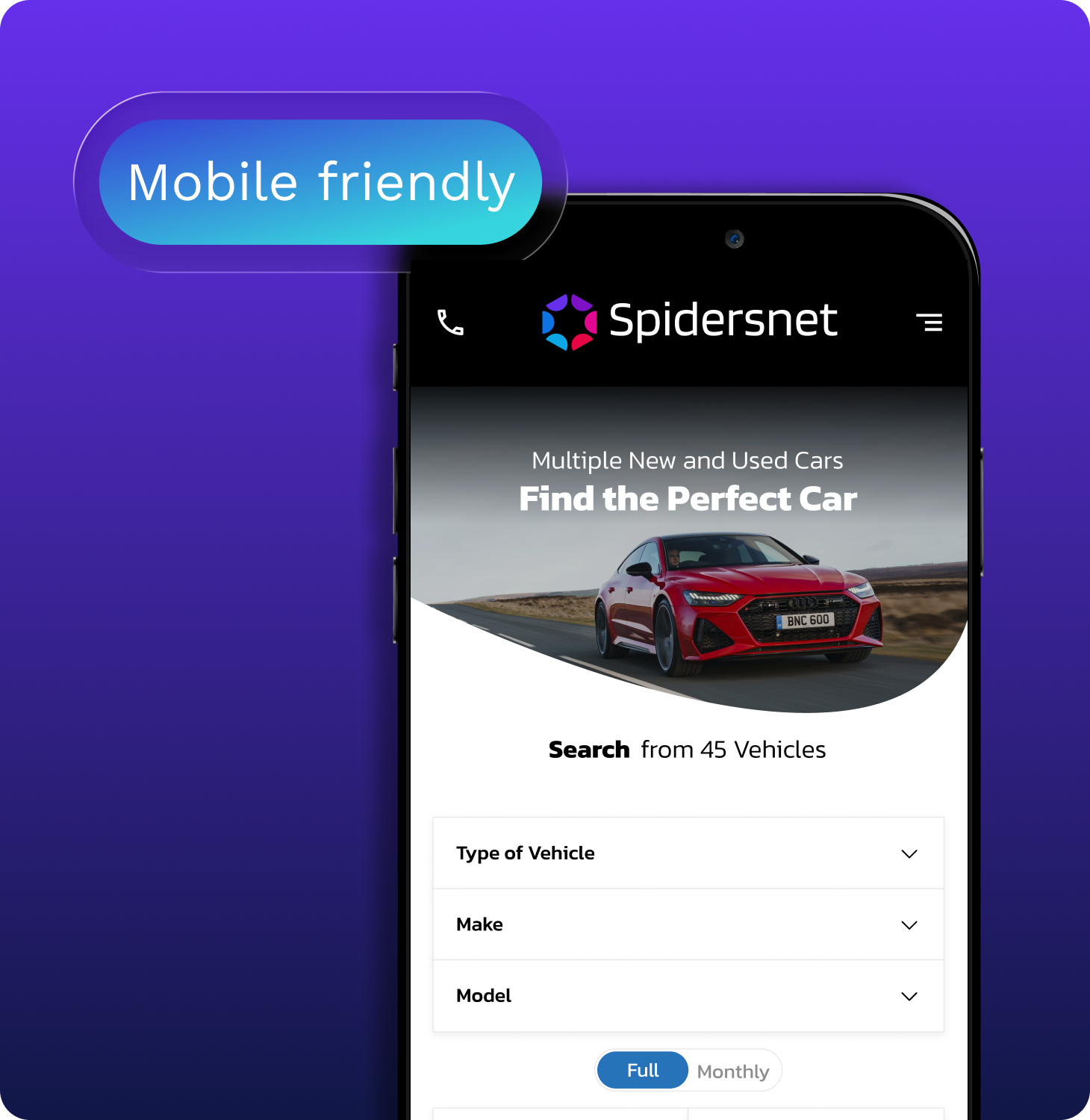
These essentials are usually enough. Group related pages together and avoid long dropdown lists that force visitors to hunt for information. A clean header supported by a sticky menu on desktop and a well organised hamburger menu on mobile keeps everything within easy reach.
Implement Smart Search and Filters
A strong design also includes a prominent search bar and reliable filtering tools. Make it simple for users to refine results by make, model, price, fuel type, and body style. This is especially important for larger inventories where users need quick shortcuts to relevant stock. When filters are intuitive and results appear instantly, visitors are more likely to stay longer and explore more vehicles.
Consistent Layout and Navigation Aids
Consistency across the site reinforces ease of use. Keep page layouts structured in the same way so users can predict where to find important information. Breadcrumbs or clear return links help them move back to search results without losing their place. Friction points such as forced logins, pop ups that block content, or early forms that prevent users from seeing prices break the browsing flow and should be avoided. A smooth, predictable experience sets the foundation for strong conversion rates.
Using High Quality Visuals to Showcase Stock
Professional Photos Sell
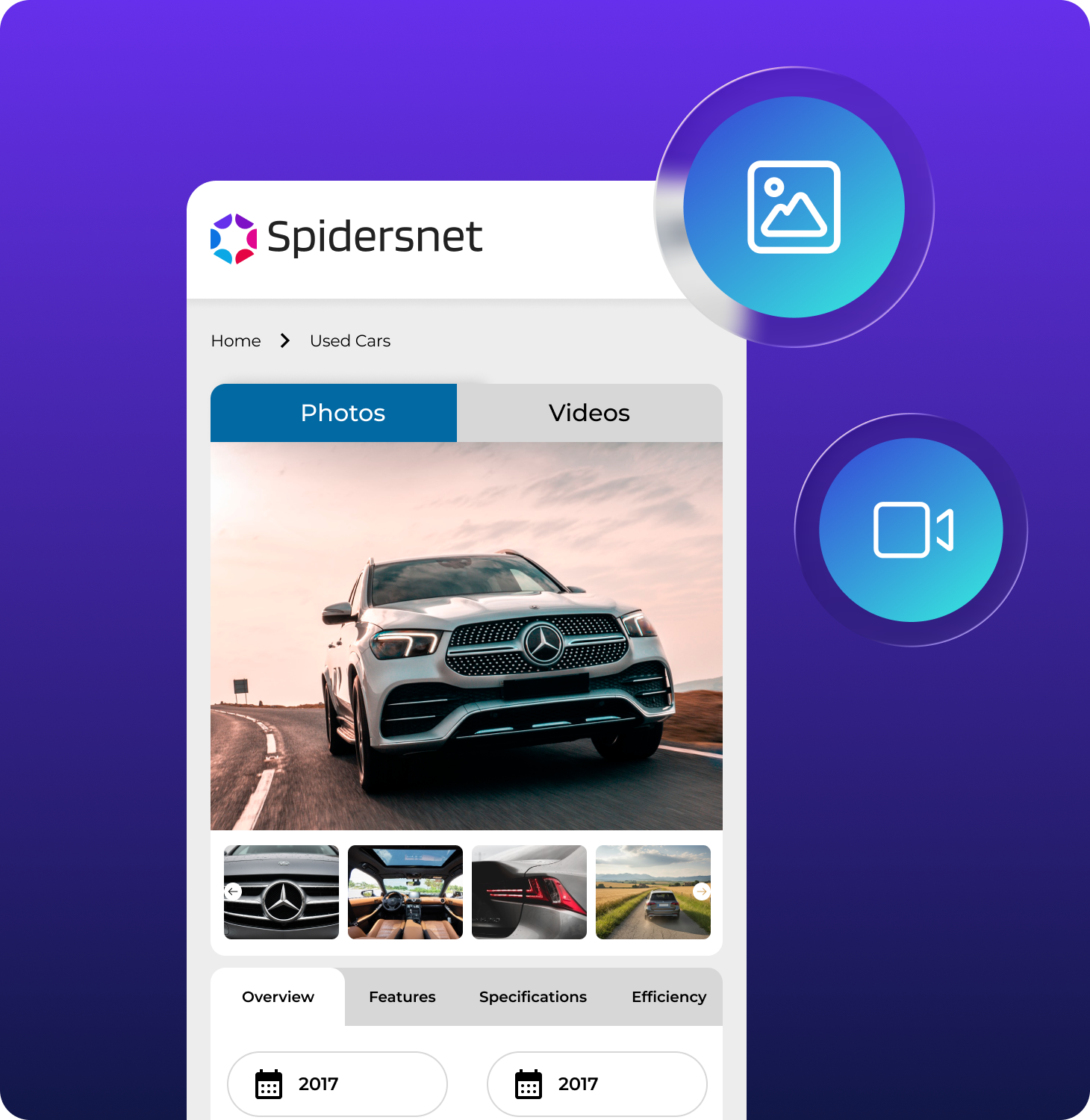
Your inventory images are the digital window into your showroom. Professional photos build confidence in both the dealership and the vehicle. Use high resolution images taken in consistent lighting and from clear angles. Each listing should include multiple exterior and interior shots that highlight important details such as infotainment systems, upholstery, wheel condition, boot space, and controls.
Use Immersive Video Experiences
Leverage video to give your listings depth. Short walkaround clips or 360 degree views give visitors a more complete sense of the vehicle and help them imagine ownership. These assets increase engagement time, reduce uncertainty, and boost lead submissions. A consistent visual style across the entire inventory reinforces your brand identity and keeps the website feeling polished.
Optimise for Speed
Strong visuals must also be balanced with performance. Large files slow pages down, so image optimisation is essential. Compressed files, WebP formats, and lazy loading ensure fast load times without compromising quality. When images appear instantly on both desktop and mobile, visitors are more likely to continue browsing and comparing vehicles.
Building Content that Informs and Engages
Structure Content Clearly
Clear content is a core part of good website design. Headings and subheadings help users scan pages quickly, which is important for both stock listings and informational pages. Every vehicle detail page should begin with a clear H1 that includes the full make and model. This helps users confirm they are on the right page and improves search visibility.
Benefit-Driven Copy
Below the main title, structure information in a logical order. Follow with a clear description that explains the main benefits of the vehicle. Don’t just list specs, explain why they matter. Rather than
“1.5 L engine,”
you might write
“economical 1.5 L engine delivers up to 45 mpg, saving you hundreds at the pump.”
Keep paragraphs short and avoid unnecessary jargon. Present technical details in bullet points to make them easy to scan. Buyers want facts, so focus on accuracy and clarity.
Incorporate SEO Naturally
Your content should also support search engine visibility. Use natural language that reflects the phrases buyers search for, such as used Ford Fiesta, low mileage SUV, or hybrid hatchback for sale. Support content with accurate metadata and structured headings that show the relevance of each section. Good content design keeps readers engaged while improving how well the page performs in search results.

Guide Visitors with Effective Calls to Action
Define Your Core Actions
Don’t assume visitors know what to do next. Clear calls to action guide them through the buying journey and encourage them to take measurable steps. Prominent, well designed buttons should direct users to:
- Book a test drive
- Value their part exchange
- Request a finance quote
- Or contact the dealership
Make CTAs Visual and Action-Oriented
Placement is important. Position key calls to action near the top of the page, again within the vehicle description, and once more at the bottom. This ensures buyers never have to scroll far to take action. Button text should be specific and action driven. Avoid vague phrases like Submit and replace them with direct prompts such as:
- Book My Test Drive
- Check My Finance Options
Strong design supports these calls to action by using distinctive colours and consistent button shapes that stand out without distracting from the page content.
Lead Capture Made Simple
When users click a CTA, don’t force them into a deep or lengthy form. Use short forms that require basic information; you can follow up with more detail later. Live chat widgets and quick quote tools give buyers confidence that help is available when needed, which reduces hesitation and increases conversion likelihood.
Strengthening Trust through Social Proof and Credibility
Show Customer Reviews
Display your reviews, include star ratings, and testimonials near important actions, such as finance applications or contact forms. These small reminders help reduce doubt and reassure users that others have had positive experiences with your business.
Highlight Certifications and Awards
Certifications, awards, manufacturer approvals, and security badges add further credibility. Confirming that your site is secure, your dealership is recognised, and your team is experienced reinforces trust at important decision points. Simple statements such as Serving the community since 2005 or Over 500 five star reviews provide clear social proof that encourages visitors to continue their journey.
Clear Contact Information
Display your phone number, email, location, and opening hours prominently. Include a map to your showroom on your contact page and ensure links open correctly. When visitors know they can reach you quickly, they feel more comfortable making an enquiry.
Designing for Mobile and Speed
Mobile-First Design
Most traffic comes from mobile devices, so a responsive, mobile-first design is non-negotiable. Responsive design ensures every page adjusts to different screen sizes. Buttons need to be large enough for touch control. Text must remain readable without zooming. Forms should be easy to complete on small screens.
Fast Load Times
Speed is equally important. A slow mobile site is one of the fastest ways to lose a potential lead. Compress images, tidy code, and minimise the number of scripts running in the background. Regular performance checks using tools such as PageSpeed Insights help you catch issues early. A fast mobile experience increases engagement and supports higher rankings in search results.
Use Analytics & Continuous Iteration
Track the Right Metrics
Good design evolves. After launching your website, use analytics to identify what works and what needs improvement. Track how visitors move through your pages. Look at which pages convert and which ones cause drop offs. Small adjustments in layout, image placement, heading clarity, or CTA position often deliver measurable improvements.
A design that responds to real user behaviour performs better over time. With consistent review and refinement, your digital showroom stays modern, fast, and aligned with buyer expectations.
Bringing It All Together
Designing a car dealership website that converts requires more than great photography. You need:
- A user-centred, friction-minimised interface
- High-quality visuals that build trust
- Clear, benefit-driven content
- Strategic, action-oriented CTAs
- Trust signals throughout the site
- Multiple, easy ways for users to get help
- Fast, mobile-optimised performance
- A data-driven approach to continual improvement
At Spidersnet, we build websites that combine these principles with tools designed specifically for dealerships like yours. Our goal is to help your online showroom perform at its best on every device and at every step of the buyer journey.
If you’re ready to take your digital showroom to the next level, check out our Automotive Web Design services and browse our portfolio. With the right design in place, your site won’t just look good, it will drive real results.