
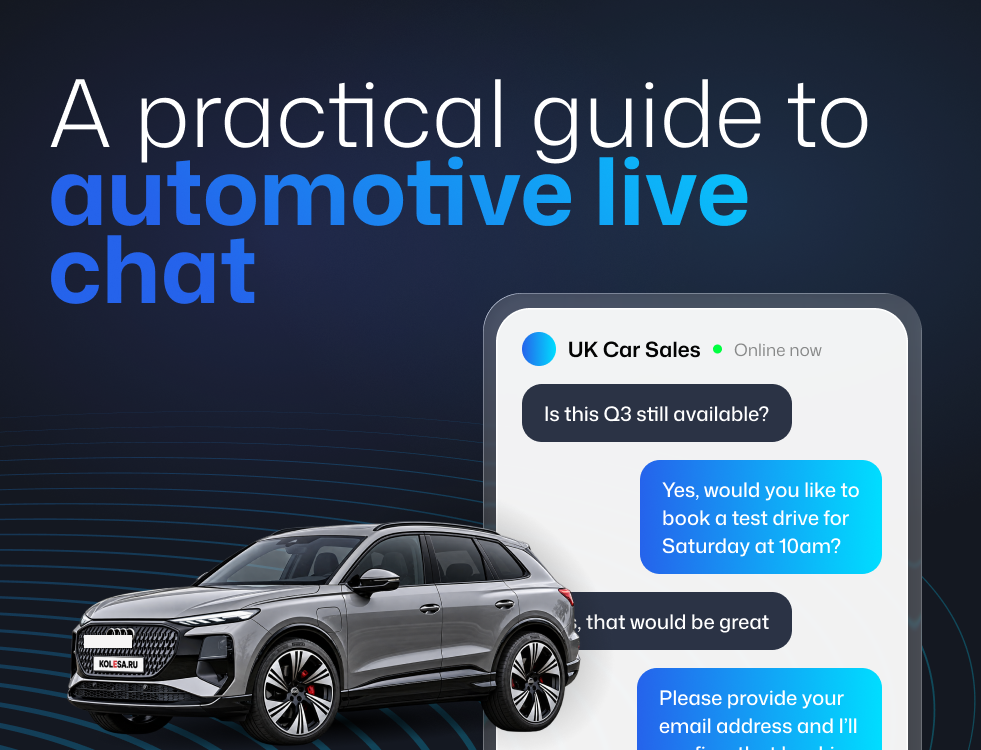
Automotive Live Chat: A Practical Guide for Dealership Websites
Table of contents
- Intro
- What Live Chat Is Really For in a Dealership
- Choosing the Right Live Chat Setup
- Where Should Live Chat Appear on a Dealership Website?
- Staffing, Ownership and Response Times
- Scripts and Templates Your Team Can Use Today
- Common Mistakes Dealerships Make With Live Chat
- A Straightforward Launch Plan for the Next Two Weeks
- Frequently Asked Questions
- Getting Live Chat Right on Your Dealership Website
Automotive live chat is a messaging tool on a dealership website that lets visitors ask questions and book appointments in real time, across sales, finance and aftersales. Done properly it works as a digital reception desk: it answers the quick questions that would otherwise send a buyer to a competitor, and converts browsing into test drives, part-exchange valuations and service bookings. The three things that determine whether it works are placement, staffing and honest out-of-hours handling.
If your website gets plenty of traffic but the phones are not ringing, you are not alone.
Most car buyers, and service customers, do not want to call for a quick question. They want a fast, low-effort answer while they are still browsing. If they cannot get it, they will leave, and you will never know they were there.
Live chat fills that gap. When you do it well, it acts like a digital reception desk. It greets visitors, answers the basics, and turns interest into booked appointments across sales, finance, and aftersales.
This guide shows you how to integrate live chat on a dealership website in a way that works for a busy team.
What live chat is really for in a dealership
Live chat is not just customer service. On a dealer site, it is a conversion tool. It helps you catch high-intent visitors at the exact moment they are deciding.
Here is where it usually delivers value.
Sales use cases that matter
Live chat works best for questions that would otherwise make a visitor leave and look elsewhere, such as:
- "Is this still available and where is it based?"
- "Can you do a test drive this weekend?"
- "Will you take my current car in part exchange?"
- "Does it have Apple CarPlay / heated seats / AWD?"
- "Can you reserve it, can I put a holding deposit down?" (If you offer this)
Finance questions people will not ring about
Finance questions often feel personal. Chat gives customers a lower-pressure way to ask:
- "Roughly what would the monthly be on PCP with £X deposit?"
- "Can you do HP instead of PCP?"
- "Do you work with customers with limited credit history?"
- "What's included in the warranty, service plan?"
Aftersales is the hidden win
Service teams miss enquiries because customers cannot get through at peak times. Chat can pick up:
- MOT and service booking questions
- "How much is a major service on a [model]?"
- Tyres, brakes, batteries (common price-check jobs)
- Warranty queries and "is this covered?"
- Courtesy car availability, timescales, drop-off options
If your workshop diary has gaps, this is usually where chat pays for itself fastest. It is also the easiest department to route properly if your dealer management system already handles your service bookings.
What live chat will not fix
Live chat cannot rescue a broken process. If you do not reply, do not follow up, or do not have clear ownership, it will frustrate people instead of generating leads.
A simple rule: if you cannot staff it reliably, do not make big promises with it.
Choosing the right live chat setup
"Live chat" can mean a few different things. The right choice depends on your team size, opening hours, and what you want chat to achieve.
Human chat, chatbot, or hybrid
Human chat (fully live) Best when you can respond quickly during opening hours and you want a premium experience. Strong for sales and finance.
Chatbot (automated replies) Useful for out-of-hours triage, basic FAQs, and directing people to the right place. Risky if it pretends to be human or blocks a real conversation.
Hybrid (recommended for most dealerships) A bot handles the first steps (department choice, vehicle of interest, preferred contact method). A person takes over when the visitor needs real help.
If you are unsure, choose hybrid. It is the easiest way to cover evenings and weekends without burning out the team.
Managed chat: the option most dealers overlook
There is a fourth option, and for a lot of independent dealers it is the most realistic one: a managed service, where trained operators handle your chat on your behalf.
This solves the problem that sinks most in-house chat rollouts, nobody has time to answer it on a busy Saturday. A managed team covers evenings, weekends and peak periods, qualifies the enquiry, and passes it to you as a lead with the details already gathered.
Visitor Chat is the managed chat provider we work with at Spidersnet, and it is one of the integrations available across our dealership websites. Operators are briefed on your stock and your processes, cover hours your team realistically cannot, and hand enquiries over in a format your sales or service team can act on immediately. You can see the wider set of providers we integrate with on our partners page.
The point is not that managed chat is always right. It is that "we'll answer it ourselves" is the assumption that most often fails, and it is worth being honest about your team's capacity before you commit.
Decide what "success" looks like before you install anything
Pick one primary goal and one secondary goal. For example:
- Primary: book test drives from vehicle pages
- Secondary: capture part-exchange enquiries without a form
Or:
- Primary: increase service bookings and reduce missed calls
- Secondary: handle warranty queries properly
If you do not choose, chat turns into a general inbox, and that is where leads go to die.
Where should live chat appear on a dealership website?
Most chat widgets fail for one of two reasons. They are either everywhere and annoying, or hidden and unused.
Use placement and messaging that matches how people browse a dealership site.
Priority pages for sales chat
Vehicle detail pages (VDPs) This is where intent is highest. Your chat prompt should reference the car:
- "Got a question about this [make/model]? Ask us here."
- "Want to book a test drive? We can check availability now."
Finance pages (PCP/HP/service plans) Keep the message reassuring and low-pressure:
- "Happy to talk monthly payments, no obligation."
- "Ask about PCP vs HP or deposit options."
Part-exchange pages Visitors often get stuck on one thing: "What's mine worth?"
- "Tell us your reg and mileage, we'll give you a guide."
Priority pages for aftersales chat
Service/MOT landing page
- "Need a service slot? Tell us your reg and preferred day."
Model service pricing pages (if you have them)
- "Ask for a quote, we'll confirm price and availability."
Contact page This is your safety net when someone cannot find what they need.
Where to be careful
Homepage pop-ups can feel aggressive if they appear instantly. If you use proactive chat prompts:
- Avoid the first few seconds
- Trigger on high-intent actions (return visit, multiple vehicle views, time on a VDP)
On mobile, chat must not cover key buttons (call, reserve, book service). If it gets in the way, it will reduce conversions instead of improving them. This is worth testing properly rather than assuming, the same widget can behave very differently across iPhone and Android, and across the website features you have enabled.
Quick placement checklist
Before you go live, check:
- The chat button is visible on mobile and desktop
- It does not cover finance calculators, sticky CTAs, cookie banners, or "call now"
- The greeting matches the page (sales vs service)
- It is clear when you are online, and what happens if you are not
Staffing, ownership and response times
The biggest live chat killer is simple: nobody owns it.
Treat chat like a phone line. If it is ringing, someone answers.
Choose a realistic coverage model
Here are four models that work in the real world.
Sales-led coverage Good for smaller sites or single-franchise dealers. One trained person covers chat during set hours, with backup when they are with a customer.
BDC or central team coverage Best for groups. Chat becomes part of lead handling, with clear rules and reporting.
Hybrid with aftersales routing Sales enquiries go to the sales or BDC team. Service enquiries route to service reception or an aftersales coordinator.
Managed / outsourced coverage Trained operators handle chat on your behalf, either full-time or to cover evenings, weekends and peaks. Sensible where your team genuinely cannot commit to response times, or where you want cover beyond opening hours without adding headcount.
Whatever you choose, make ownership visible:
- Who covers sales chat?
- Who covers service chat?
- Who checks missed chats and follows up?
- Who sets the scripts and keeps them updated?
Set simple service levels your team can hit
You do not need perfection. You need reliability.
Practical targets your team can follow:
- Acknowledge quickly, even if you need a minute: "Hi, I'm just checking that for you now."
- If you cannot answer immediately, give a time: "I'll be back in 2 minutes."
- If you are genuinely busy, offer a fallback: "Can I call you in the next 10 minutes?"
Can you offer 24/7 dealership chat?
Yes, but only in one of two honest forms. This is where most dealers get it wrong, because the temptation is to leave chat showing "online" around the clock and hope.
Genuine 24/7 cover means either a managed service with operators outside your opening hours, or a well-built bot that is clearly identified as automated and does one job properly: capture the right details and set expectations.
Honest out-of-hours capture is the alternative, and it is perfectly good. Chat is clearly offline, and it collects what you need to follow up first thing.
Out-of-hours chat should do one of two things:
- Capture the right details so you can follow up fast
- Direct the visitor to the right option (call, enquiry form, service booking)
Keep it honest:
- "We're back at 8:30am. Leave your number and we'll call first thing."
- "Want the earliest service slot? Share your reg and preferred day."
Avoid: "An agent will be with you shortly" when nobody is there. That is how you lose trust, and it is worse than having no chat at all, because the visitor has now had a bad experience with your brand rather than a neutral one.
Scripts and templates your team can use today
The best live chat messages do three things. They help the visitor without feeling salesy, they gather only what you need, and they move towards an appointment (test drive, call back, booking).
Below are dealership-ready templates you can copy and adapt.
Opening lines that feel human (not robotic)
Use one of these as your first line:
- "Hi, you're through to [Name] at [Dealership]. How can I help today?"
- "Hello! Happy to help. Are you looking at a specific vehicle or just browsing?"
- "Hi there, quick question so I can help faster: is this about Sales or Service/MOT?"
Live chat qualifying questions (without interrogation)
Pick one early question, not five.
Sales (vehicle page) "Is it the [make/model] you're looking at now, or another one on site?"
Finance "Do you have a rough deposit or monthly budget in mind, or would you like a couple of examples?"
Part exchange "If you share your reg and mileage, I can give you a guide and we can firm it up when you visit."
Service "What's your reg and what are you looking to book, MOT, service, or both?"
How to invite a visit without sounding pushy
Instead of "When can you come in?", try:
"If it helps, we can get this booked in for a quick look or test drive. What day suits you best?"
Or:
"Would you like me to check availability for a test drive this week, or would a quick call be easier?"
"Strike while the iron's hot" closing lines
When someone is clearly interested, do not wait.
Sales "I can reserve a slot for you so it's not sold before you see it. Would tomorrow or Saturday work better?"
Finance "If you want, I can get our finance team to confirm figures and options. What's the best number to reach you on?"
Service "I can get you booked in now. What's your preferred day, and do you need a courtesy car?"
Follow-up templates for missed chat enquiries
Missed chats happen. What matters is what you do next.
Callback text (short, friendly)
"Hi [Name], it's [Name] from [Dealership]. Sorry we missed you on live chat. I can help with [topic]. When's a good time to call today?"
Email follow-up (service)
Subject: Service booking help
"Hi [Name], Thanks for your message on live chat earlier. I can help you book in for [MOT/service]. If you reply with your reg, preferred day and whether you need a courtesy car, I'll confirm availability."
Thanks, [Name] | [Dealership]
Email follow-up (sales)
Subject: Quick question about the [make/model]
"Hi [Name], Thanks for chatting with us earlier. I can help with availability, part exchange and finance options on the [make/model]. If you let me know your preferred day/time, I'll arrange a test drive or a quick call."
Thanks, [Name] | [Dealership]
Common mistakes dealerships make with live chat
These issues come up again and again, and they are all fixable.
Leaving chat online when nobody replies
If chat shows "online" and nobody answers, it feels worse than not having chat at all.
Fix: match "online/offline" status to real cover, and use an out-of-hours message that captures what you need. If you want genuine round-the-clock cover, use a managed service rather than pretending.
Using one generic script for everything
Sales and service chats are different conversations.
Fix: create separate prompts and quick replies for vehicle enquiries, finance questions, part exchange, and service and MOT booking.
Being too pushy, too early
People use chat because it feels low pressure.
Fix: help first. Then offer the next step. Then ask for details.
Not training the team (so tone goes all over the place)
You can have one great chat and one abrupt chat on the same day.
Fix: keep a short chat playbook covering greetings, qualifying questions, booking language, and handovers.
Not reviewing chat transcripts
Chat logs are valuable. They show you what customers ask most, where your website is unclear, and where your processes create friction.
Fix: review chats weekly for 15 minutes. Update FAQs, pages, and scripts based on real questions. If the same question comes up ten times, the answer belongs on the page, not just in the chat.
A straightforward launch plan for the next two weeks
If you want to launch quickly, without chaos, follow this plan.
Days 1–4: foundations
- Choose goals (sales, finance, service, be specific)
- Decide coverage model and ownership, including whether you need managed cover
- Write your page-based greetings and quick replies
- Set online/offline rules and an out-of-hours message
Days 5–9: setup and testing
- Add chat to priority pages first (VDPs + service/MOT)
- Test on mobile properly
- Test routing (sales vs service)
- Test what happens when chat is missed
Days 10–14: go live and improve
- Go live during staffed hours only for the first week
- Focus on booking outcomes (test drives, callbacks, service slots)
- Review transcripts and missed chats daily for the first few days
- After week one, add proactive prompts if you are coping with volume
Frequently asked questions
What is automotive live chat?
Automotive live chat is a messaging tool on a dealership website that lets visitors ask questions and book appointments in real time. On a dealer site it typically covers three departments: sales enquiries about specific vehicles, finance questions about monthly payments and deposits, and aftersales bookings for service, MOT and repairs.
Is live chat worth it for a small dealership?
Yes, provided you are honest about staffing. A single-site dealer with one trained person covering set hours will get better results than a large group with chat nobody owns. If your team genuinely cannot commit to response times, a managed service is a better option than in-house chat that goes unanswered.
Can you offer 24/7 dealership chat?
Only in two honest forms: a managed service with operators covering hours your team does not, or a clearly-labelled bot that captures details and sets expectations. Leaving chat showing "online" overnight with nobody there damages trust more than having no chat at all.
Where should live chat go on a dealership website?
Prioritise vehicle detail pages, finance pages, part-exchange pages and your service or MOT landing page, these are where intent is highest. On mobile, make sure the chat button never covers the call, reserve or book-service actions.
What is the difference between live chat and a chatbot?
Live chat connects the visitor to a person. A chatbot gives automated replies. A hybrid setup uses a bot for the first step, department, vehicle of interest, preferred contact method, then hands to a person. Hybrid works best for most dealerships because it covers evenings and weekends without overloading the team.
Does live chat replace phone enquiries?
No. It captures the enquiries that would never have become a phone call. Most people will not ring for a quick availability check or a rough monthly figure, so chat picks up demand you were previously losing silently rather than diverting calls you already had.
Does live chat affect GDPR compliance?
Chat collects personal data, so it is subject to the same obligations as any other enquiry channel. Be clear that chat is monitored, avoid collecting sensitive details you do not need, set retention rules for transcripts, and check how your chat widget's cookies are categorised before it goes live.
Getting live chat right on your dealership website
If you are thinking about adding live chat, start by reviewing your current journeys:
- Which pages get the most high-intent traffic?
- Where do people drop off?
- What are the top questions your team answers every day?
- Who will own chat, and what is the plan for busy periods?
At Spidersnet we build dealership websites for over 1,000 UK dealers, and live chat is one of the integrations we set up as part of that, including managed cover through Visitor Chat, our chat partner, for dealers who want enquiries answered outside showroom hours without adding headcount.
We can sense-check your website, recommend the right chat placement and routing for your sales and aftersales teams, and connect it into your lead handling so nothing gets missed. If you would like to see how it fits alongside our website and DMS packages, take a look at our packages or get in touch for a straight answer on whether chat is the right next step for your dealership.

Ready to transform your
dealership?
Let's chat about which package best suits your business.